To register a Runner under GNU/Linux:
1 - Run the following command:
sudo gitlab-runner register
2 - Enter your GitLab instance URL:
Please enter the gitlab-ci coordinator URL (e.g. https://gitlab.com )
https://gitlab.com
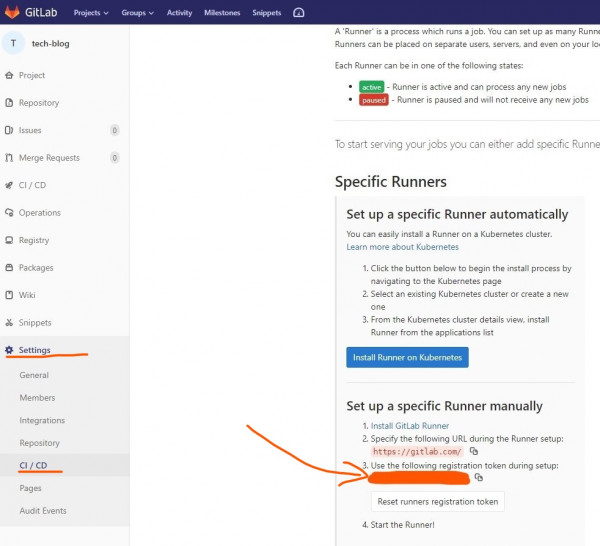
3 - Enter the token you obtained to register the Runner:
Please enter the gitlab-ci token for this runner
<your-token-id>
Your gitlab-ci token id can be copied from your account ( see the image below )
4 - Enter a description for the Runner, you can change this later in GitLab’s UI:
Please enter the gitlab-ci description for this runner
[hostame] my-runner
5 - Enter the Runner executor:
Please enter the executor: ssh, docker+machine, docker-ssh+machine, kubernetes, docker, parallels, virtualbox, docker-ssh, shell:
shell